Samsung Galaxy S24 S25 Ultra battery overheating update troubles hit after the July 2026 patch. Here’s what’s happening, who is affected, and the steps that actually help.
Samsung Galaxy S24 S25 Ultra Battery Overheating Update: Why Phones Are Running Hot and Draining Fast
Samsung Galaxy S24 S25 Ultra battery overheating update complaints exploded across forums and Reddit in late July 2026. Owners of both flagship phones say the same things keep happening after they installed the latest security patch. Battery life falls off a cliff. The back of the phone gets uncomfortably warm even when it sits idle. Charging slows down for some people. A few report the device hitting around 40°C while doing almost nothing.
Samsung has not issued a full public statement that names a bug. The volume of reports is large enough that the story has moved past isolated grumbling. If your Ultra suddenly feels like a hand warmer and dies before dinner, you are not imagining it.
What Changed With the July 2026 Patch
The update that started the noise landed in mid-July for many regions. On the Galaxy S25 Ultra it arrived as an Android 16 security package with a July 5 patch level, pushed around July 15 in the United States. Official notes described it as a standard security release. Nothing in the changelog warned about battery or heat.
Then the posts started. S25 Ultra owners described idle drain as high as double-digit percentages per hour in extreme cases. S24 Ultra owners reported similar heat spikes and faster-than-normal power loss during light use. Some said charging that once hit full power now crawled. Others noticed the phone stayed warm long after they locked the screen.
These are not brand-new phones. The S24 Ultra has been in pockets for more than two years. The S25 Ultra is still the current top model. Both sit at the expensive end of the market. People expect them to stay cool and last a full day. When they do not, trust takes a hit.
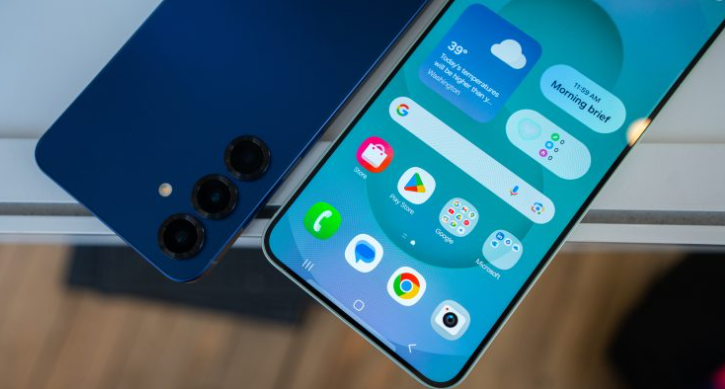
Who Is Feeling It Most
The loudest complaints come from Galaxy S25 Ultra and Galaxy S24 Ultra owners. A smaller number of regular S25 and S24 users have chimed in too. The pattern looks software-linked rather than a sudden hardware failure across two different generations.
Typical symptoms people list:
-
Faster battery drop while the phone sits unused
-
Noticeable warmth on the back or near the cameras
-
Slower wired or wireless charging
-
Higher battery use from system processes that used to stay quiet
-
Occasional lag when the device is already warm
Not every Ultra is affected. Plenty of owners installed the same update and noticed nothing. That split is common with software bugs. It also makes the problem harder to pin down quickly.
Why an Update Can Suddenly Ruin Battery Life
Security patches often touch deep system services. They can change how apps wake the processor, how the modem stays connected, or how new security features scan in the background. After a big update the phone also spends time re-indexing apps and learning new usage patterns. That extra work can last a day or two even on a healthy device.
When the extra work never settles down, something is stuck. In past Samsung cycles, background services, messaging apps stuck in backup loops, or aggressive security features have been named as culprits by users. This time the exact process is still unclear. Samsung has stayed quiet on a root cause so far.
Heat and battery drain travel together. A processor that cannot sleep properly burns power and produces warmth. The phone then throttles or draws even more current. The cycle feeds itself until you force a break.
Want the practical steps that many owners say actually calmed their phones down? They are right below.
First Things to Try Before You Panic
Start simple. A surprising number of “broken” phones settle after basic maintenance.
Restart the phone fully. Not a quick screen-off. Power it all the way down, wait thirty seconds, then turn it back on.
Open Settings, go to Battery, and look at the usage graph. Sort by the last 24 hours. If one app sits at the top while you barely used it, restrict its background activity. WhatsApp, social apps, and cloud backup tools are frequent suspects after updates.
Update every app from the Play Store and the Galaxy Store. An old app talking to a new system can keep the radio or CPU awake.
Let the phone sit unused for a full night after the update. Some devices need 24 to 48 hours to finish background optimization.
If the phone is still hot and hungry after that window, move to the stronger steps.
Deeper Fixes Owners Are Reporting
Clear the system cache partition. This does not delete your photos or accounts. On most recent Galaxy phones you power off, then hold Volume Up and Power until the recovery menu appears. Use the volume keys to highlight “Wipe cache partition,” confirm with Power, then reboot. Many people see cooler temperatures and steadier battery numbers within a day.
Turn on Adaptive Battery if it is off. Find it under Settings > Battery. The system learns which apps you actually need and limits the rest.
Drop the performance profile to Light. You will lose a bit of peak speed. In return the phone runs cooler and lasts longer. For daily scrolling, maps, and calls most people never notice the difference.
Test in Safe Mode. Press and hold the power button, then long-press Power off until the Safe Mode option appears. If the heat and drain disappear in Safe Mode, a third-party app is the likely troublemaker. Uninstall recent downloads one by one until the problem leaves.
Check for a stuck backup. Open WhatsApp or your main cloud app and make sure it is not endlessly uploading. A backup loop can keep the radio and storage busy for hours.
Reduce background connections for a day. Switch from 5G to LTE if your signal is weak. Weak 5G forces the modem to work harder and creates both heat and drain.
Avoid heavy gaming or camera use while the device is already warm or while it is charging. That combination pushes temperatures higher fast.
When to Contact Samsung Support
If the phone still loses big chunks of battery while idle, or if it becomes too hot to hold comfortably, stop experimenting and reach out. Document the battery graph with screenshots. Note the exact software version under Settings > About phone > Software information.
Samsung service centers can run diagnostics and, if needed, look at battery health. Under warranty you should not have to accept a flagship that turns into a space heater after a routine patch. Keep your receipt and the date you installed the update.
Do not try random “battery recalibration” tricks that involve draining to zero repeatedly. Modern lithium batteries do not work that way, and deep discharges only add stress.
The Bigger Pattern Samsung Needs to Break
This is not the first time a Galaxy update has been followed by heat and drain reports. Similar waves appeared after earlier One UI and security releases on both S24 and S25 lines. Each time a chunk of owners suffer for days or weeks while the company gathers data. Each time temporary workarounds spread on forums faster than official notes.
Flagship buyers pay premium prices for smooth software as much as for cameras and screens. When a security patch quietly wrecks daily battery life, the goodwill evaporates. Clear communication would help. Even a short “we are aware and investigating” post reduces frustration. Silence makes people assume the worst.
Other brands go through the same pain after big updates. The difference is how fast the maker owns the issue and ships a follow-up fix. Right now Samsung’s next move is the part everyone is waiting for.
Still stuck with a hot, hungry Ultra? The checklist below is the fastest path most people should follow first.
Quick Action Checklist
-
Restart and wait 24–48 hours.
-
Check Battery usage and restrict greedy apps.
-
Update all apps.
-
Wipe cache partition.
-
Enable Adaptive Battery and Light performance mode.
-
Test Safe Mode.
-
Confirm no backup is stuck.
-
Try LTE instead of weak 5G.
-
Contact Samsung if idle drain or heat continues.
Most owners who follow the list in order see clear improvement within two days. A smaller group will need the official fix that has not arrived yet.
What to Expect Next
Software teams usually need a critical mass of bug reports, logs, and device models before they push a corrective update. That process can take days or a couple of weeks. In the meantime the steps above remain the best self-help tools available.
Keep your phone’s software page bookmarked. When Samsung does release a follow-up package, install it on Wi-Fi and then repeat the light cache wipe and restart. Fresh patches sometimes need a clean slate to settle properly.
If you are shopping for a new phone right now, the reports are worth watching but not necessarily a deal-breaker. Both the S24 Ultra and S25 Ultra remain excellent devices when the software behaves. The current mess looks like a patch problem, not a design failure. Still, waiting a couple of weeks for the dust to settle is reasonable if your upgrade is not urgent.
Bottom Line for Frustrated Owners
The Samsung Galaxy S24 S25 Ultra battery overheating update wave is real for a noticeable group of users. Heat, fast drain, and slower charging appeared after the July 2026 security release. Samsung has not publicly confirmed a wide bug yet. Practical fixes already circulating—cache wipe, app restrictions, Adaptive Battery, Safe Mode testing—help many people right away.
Your expensive phone should not feel like a stress test every afternoon. Work through the simple steps first. Document everything. Escalate to support if the device stays hot while idle. And keep an eye out for the next software drop. When it lands, it will hopefully turn these flagships back into the cool, all-day companions they were sold to be.
Tired of guessing? Run the checklist tonight, then check back here once Samsung ships the real fix so you know the moment it is safe to update again.