Videloop Starter helps you create YouTube content more efficiently with a powerful desktop video looper, YouTrendz AI Scanner, background generation, and channel branding tools in one platform. Perfect for faceless, ambient, and lo-fi channels. Read this ultimate Videloop Starter review.
Videloop Starter Review 2026: Best YouTube Automation Tool With YouTrendz AI Scanner
Videloop Starter helps you Create High-Retention Faceless Videos Faster, And Build Your YouTube Channel With Videloop. It combines a powerful desktop video looper with AI-powered trend research, background generation, and channel branding tools, all in one platform. Whether you are building faceless channels, ambient videos, lo-fi content, or other repeat-style formats, Videloop helps simplify your workflow without the need for complex video editing software. If you have ever tried to turn a short clip into a long, smooth video for rain sounds, meditation visuals, lo-fi beats, or relaxing backgrounds, you already know how slow that process can get inside a full editor.
Most creators in those niches hit the same bottleneck. You find a short clip that works. Then you spend too much time looping it, fixing the seam, adjusting audio, exporting, and starting over when the result feels choppy. After the video is done, you still need trend ideas, titles, channel branding, and fresh backgrounds so the next upload does not look like a copy of the last one. That usually means bouncing between a video editor, a research tool, a design app, and a notes doc. By the time the workflow is ready, the day is gone.
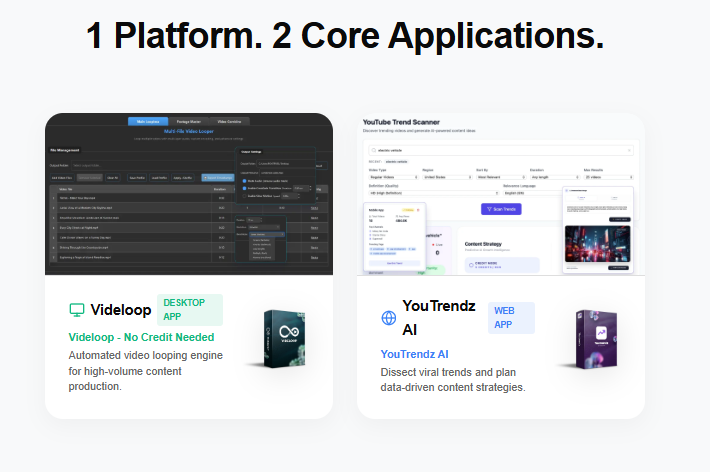
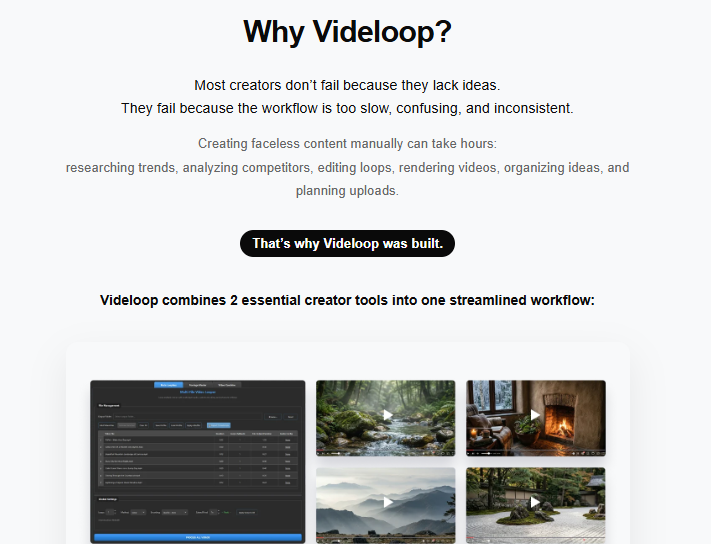
Videloop Starter was built to cut that stack down. At the center is the Videloop desktop app, which turns short footage into long seamless loops with a fast FFmpeg-based render engine. Around it sits YouTrendz AI Scanner for YouTube trend research and content planning, a BG Builder for ready-made and AI-generated backgrounds, and a Creative Studio for channel naming and branding concepts. One account unlocks the suite, so research, production, and branding live closer together.
The product is especially useful for faceless and repeat-style channels where long watch time matters more than fancy cuts. Ambient rooms, nature loops, study music visuals, sleep content, and similar formats all depend on clean looping and steady publishing. Videloop Starter does not claim to replace strategy or guarantee monetization. What it does offer is a practical production system: find a direction, generate or select visuals, loop them cleanly, brand the channel, and publish more often without living inside heavy editing software.
In plain terms, Videloop Starter is a creator toolkit for people who want faster loop-based YouTube production plus trend guidance in the same ecosystem. If your content style depends on seamless repetition, calm visuals, and consistent uploads, this is the kind of setup that can make the work feel manageable again.
What Is Videloop Starter?
Videloop Starter is a multi-app creator suite from Rootpixel that pairs a desktop video looping tool with web-based YouTube research and branding utilities. It is designed for faceless and repeat-style content where a short visual can become a long, high-retention video.
The suite is commonly presented as one product and one account with four connected pieces: the Videloop desktop looper, YouTrendz AI for trend research, BG Builder for backgrounds, and Creative Studio for channel branding. That structure matters because most creators do not only need a looper. They also need ideas and visual assets that keep the channel moving.
This makes Videloop Starter relevant for:
-
Faceless YouTube creators
-
Ambient, lo-fi, sleep, and relaxation channels
-
Beginners who want less editing complexity
-
Publishers running multiple niche channels
-
Freelancers producing loop-style videos for clients
Videloop Starter Features List
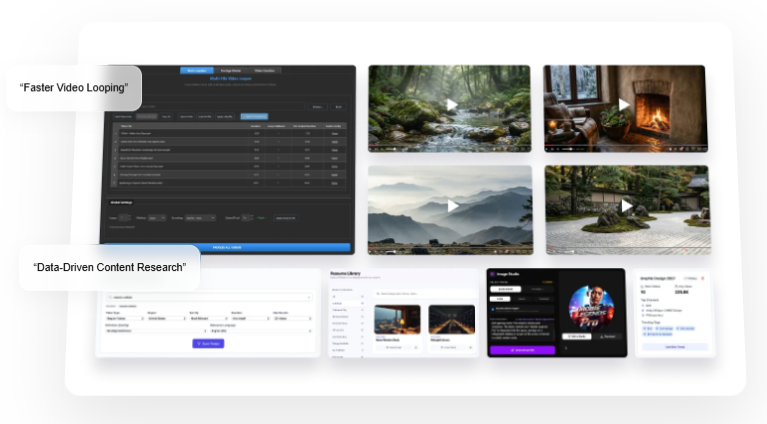
Desktop Video Looper
Turn short clips into long seamless videos without a full timeline editor.
- #1 Fast Video Looper
Loop videos automatically with ease. Features straightforward settings so you can start rendering loops in just a few clicks. - #2 Multi-File Processing
Loop multiple video files simultaneously in a single process. This is a massive time-saver compared to processing videos one by one. - #3 Audio Configuration
Easily configure your audio settings. Adjust sound output to perfectly match your looped video needs. - #4 Beginner-Friendly Interface
All settings are kept simple and intuitive, so anyone can operate the software without dealing with complex timelines. - #5 Video Combiner
Merge multiple video clips together seamlessly without needing to open a heavy secondary video editor. - #6 FFmpeg Render Engine
Utilizes a lightweight, reliable FFmpeg backend to accelerate rendering speeds based on your machine’s capabilities.
Fast FFmpeg Render Engine
Export loops quickly while keeping output quality clean and practical for uploads.
Multi-File Loop Processing
Batch process multiple videos so production does not stall on one file at a time.
Audio Configuration Controls
Adjust sound settings so music, rain, or ambient audio fits the final loop.
Footage Master and Effects Options
Enhance source footage and add simple visual treatment before looping.
Video Combine Tools
Merge clips inside the same workflow instead of jumping to another editor.
YouTrendz AI Scanner
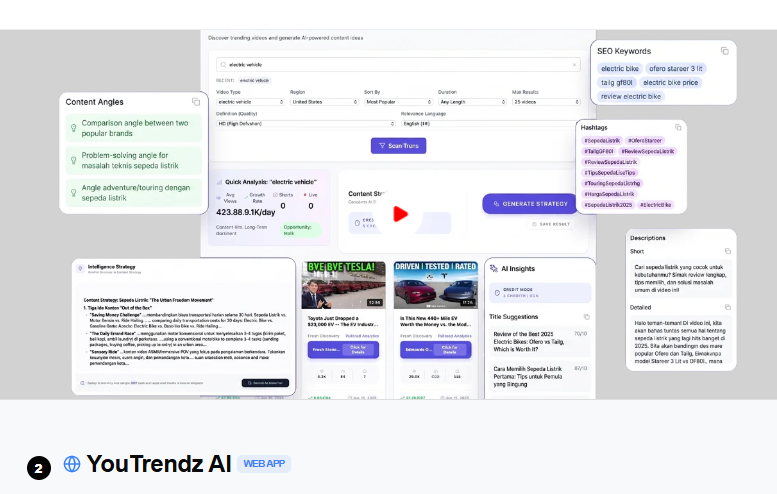
Research YouTube trends, compare directions, and plan content with API-powered insights.
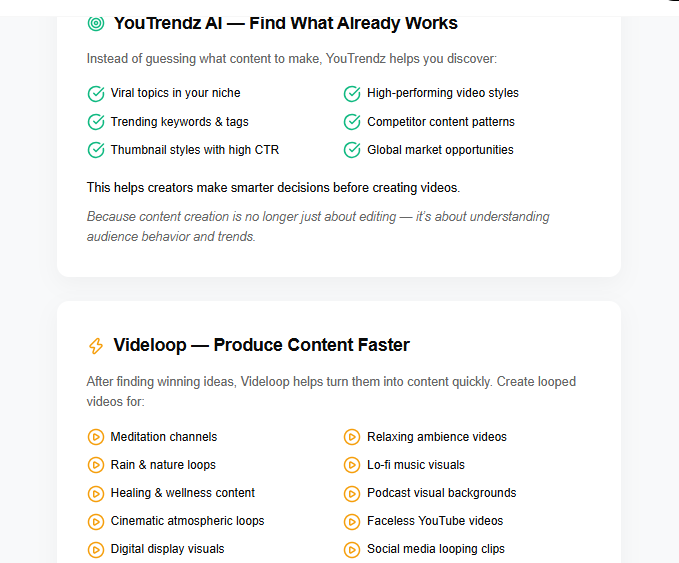
- #1 YouTube Trend Scanner
Discover what’s hot in your niche. Scans trending videos based on region, duration, and category. Includes a Quick Analysis for growth metrics. - #2 Global & Niche Explorer
Access a library of specific niche trends. Monitor top channels and rising tags across various countries for globally relevant content ideas. - #3 Thumbnail Visual Insight
Analyze the visual elements behind high-CTR thumbnails. Get Visual Analysis on image appeal and use the Prompt Generator to create similar aesthetics. - #4 My Channel Center
Your personal channel growth assistant. Connect your account to monitor ideas, track competitor success patterns, and manage your strategy. - #5 Content Planner
Manage your production schedule and idea bank. Send ideas directly from the Scanner into your publishing schedule to maintain a consistent workflow.
Content Planner and Channel Monitoring
Keep idea flow steady with planning tools and channel tracking features.
BG Builder and Background Library
Use ready-made backgrounds or generate new visuals for fresh uploads.
Creative Studio for Channel Branding
Build channel names, concepts, and branding directions faster at launch or rebrand time. Check Inside Here!
What Is Inside the Videloop Starter Package
When you get access to Videloop Starter, you typically receive:
-
Videloop desktop app for seamless video looping
-
YouTrendz AI web app for trend research and content planning
-
BG Builder and background library access
-
Creative Studio tools for channel branding concepts
-
One-account access across the included apps
-
Commercial-use licensing based on the offer terms
-
Quick-start materials and onboarding guidance
-
Bonus training or starter assets during launch windows
-
Support for license activation and device changes through the vendor process
-
30-day satisfaction terms on many launch offers
You do not need a separate heavy editor just to create long ambient or lo-fi loop videos, and you do not need a second research stack to find upload ideas.
Videloop Starter Video DEMO
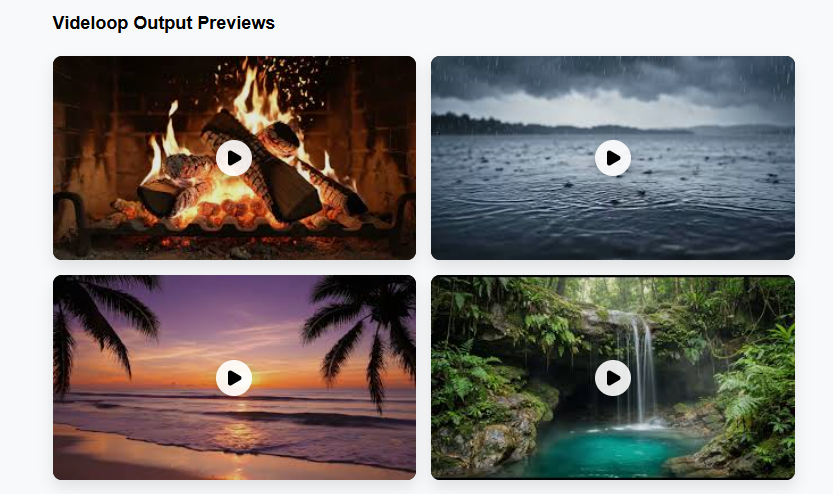
Videloop Starter demo or review video here — watch the full walkthrough: importing a short clip into the desktop looper, setting loop and audio options, exporting a long seamless video, scanning trends inside YouTrendz AI, generating or selecting a background in BG Builder, and creating channel branding concepts in Creative Studio.
How Videloop Starter Works
Step 1: Research the opportunity.
Use YouTrendz AI Scanner to review trends, niches, and content angles worth publishing.
Step 2: Choose or create your visual base.
Pick a short clip, select a library background, or generate a fresh backdrop in BG Builder.
Step 3: Import into the Videloop desktop app.
Load your footage and set the loop method that fits your format.
Step 4: Configure audio and enhancements.
Add or adjust music, ambient sound, and simple footage treatment.
Step 5: Render the long-form loop.
Export a smooth extended video with the fast render engine.
Step 6: Brand the channel.
Use Creative Studio to refine names, concepts, and presentation direction.
Step 7: Upload and repeat.
Publish on YouTube, track what holds attention, and build the next video with the same system.

Videloop Starter OTO Upgrade Path
Like most launches of this kind, Videloop Starter may include optional upgrades for creators who want more capacity or advanced rights. None of these are required to use the core suite.
OTO 1 — Pro or Unlimited Production Unlock
Raises limits on renders, projects, exports, or advanced desktop features.
OTO 2 — Advanced YouTrendz Research Pack
Adds deeper scanning filters, planning templates, or expanded research workflows.
OTO 3 — Premium BG and Asset Library
Unlocks more backgrounds, visual packs, and generation options for faster packaging.
OTO 4 — Agency or Commercial Expansion
Broader rights for client work, team use, or multi-channel production.
OTO 5 — Done-For-You Channel or Training Bundle
Extra setup help, niche maps, or advanced publishing playbooks.
Exact upgrade names can vary by promotion, so review the checkout path carefully during your purchase window.
Why Videloop Starter Is Great
A lot of “YouTube automation” tools try to do everything and end up doing nothing well. Videloop Starter is more focused. It targets the real pain in loop-based content: turning short visuals into long clean videos, then supporting that production with trend research and branding.
The desktop looper is the production engine. YouTrendz AI is the idea engine. BG Builder keeps visuals from going stale. Creative Studio helps the channel look intentional instead of thrown together. Used together, those pieces create a repeatable workflow for ambient, lo-fi, meditation, rain, study, and similar faceless formats.
It is also practical for beginners because you do not need advanced editing skill to get a usable result. That does not remove the need for taste, niche choice, and consistency. It does remove a large amount of repetitive production friction.
Who Is Videloop Starter For?
Videloop Starter fits creators who publish repeat-style or faceless YouTube content and want a cleaner system.
-
Faceless channel owners in ambient, sleep, lo-fi, and relaxation niches
-
Beginners who want less dependence on complex editors
-
Multi-channel publishers who need faster production volume
-
Freelancers making loop videos or channel setups for clients
-
Content teams that want research and production in one ecosystem
-
Creators rebuilding an old channel with fresher branding and visuals
It is less ideal for people who only make heavy narrative, talking-head, or cinema-style videos with complex timelines.
How to Make Money With Videloop Starter
Build faceless channels around long-watch formats.
Publish ambient, lo-fi, sleep, rain, and relaxation videos designed for session length and repeat views.
Use trend research before you produce.
Let YouTrendz AI guide niches, angles, and packaging so you spend less time guessing.
Package channel setup as a service.
Offer clients loop-video production, channel branding, and content batching.
Create series, not one-off uploads.
Turn one visual style into playlists and recurring formats that compound over time.
Sell stock loop packs.
Produce seamless backgrounds and licensed loop videos for other creators or brands.
Combine with affiliate or digital offers.
Use channel traffic to promote related products once the audience is stable.
Frequently Asked Questions
What is Videloop Starter?
It is a creator suite that combines a desktop video looper with YouTrendz AI trend research, background generation, and channel branding tools for faceless and loop-style YouTube content.
Do I need advanced editing skills?
No. The workflow is built to simplify loop production without complex editing software.
What is YouTrendz AI Scanner?
It is the research side of the suite, used to analyze YouTube trends, plan content, and support channel idea flow.
Can I turn a short clip into a long video?
Yes. That is the core job of the Videloop desktop app, including multi-hour style loop outputs depending on your source and settings.
Is this only for ambient and lo-fi channels?
Those formats are a natural fit, but any repeat-style or background-style content can benefit from seamless looping.
Does it work fully in a browser?
The looper is a desktop app, while YouTrendz AI and related tools are web-based inside the same product ecosystem.
Is there a refund option?
Many launch offers include a satisfaction guarantee window. Check the current terms at checkout.
Do I have to buy the OTOs?
No. The front-end suite is designed to stand on its own. Upgrades are optional.
Can this guarantee monetization?
No software can guarantee views, RPM, or YouTube approval. Results depend on niche, quality, consistency, and policy compliance.
Final Thoughts
Loop-based YouTube content looks simple from the outside, but the production grind is real. Short clips need clean extension. Channels need fresh visuals. Uploads need better timing and clearer direction. Videloop Starter brings those pieces into one practical system: loop faster on desktop, research with YouTrendz AI, generate backgrounds, and shape branding without juggling a pile of disconnected tools.
If you are building faceless, ambient, lo-fi, or other repeat-style channels and want a smoother path from idea to export, this is a toolkit worth serious attention. Install it, test one full video from research to render, and see how much lighter the workflow feels.